CUSTOM CURSORS FOR CHROME & EDGE
Give your cursor
some character.
Pick from 180 original pairs, from crystal arrows to office capybaras. Or turn your own images into a cursor.
The extension works offline, with no account or ads.
LIVE CURSOR PREVIEW
Move your mouse here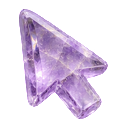

Find your next cursor.
Choose a pair to try it in the live preview.

Open Studio in your browser.
Open the extension in Chrome or Edge to apply cursors, adjust their size and create your own pairs.
Open the Extensions menu
Select the puzzle-piece icon in the Chrome or Edge toolbar.
Select Cursor Studio
You can pin the extension to the toolbar for quicker access.
Choose Open Studio
The full library opens in a browser tab.
Frequently asked questions
Where do the cursors work?
Cursors work inside supported websites on desktop Chrome and Edge. Browser pages, extension stores and the toolbar use the browser pointer. Refresh tabs that were already open during installation.
Can I use my own images?
Yes. Open the Cursor Studio editor, import a PNG, JPEG or WebP, and set the click point. You can use different images for the cursor and link pointer.
Where are my favorites and creations saved?
Your preferences, favorites and imported images stay in your browser. You can export a backup in Cursor Studio’s settings.